If you prefer reading than listening to click bait chumps: How to setup instant replay in OBS Studio | OBS Forums
It’s just a video showing the same stuff. How is it click bait? Haha
It’s a baity thumbnail (OMG, it’s FREE), probably has 10 minutes of channel introductions and then performs something that can be written in three bullets or a paragraph. 
How can the file management be different? You spool the replay buffer to your replay file and you make the media source (the replay file) visible. What you explain does not make any sense as the file you’re saying that you’re seeing the tail end of, does not exist anymore if you’ve set it up correctly. So make sure the replay file is “closed when inactive” as the file handle will be relinquished once the media source is removed from the preview/program.
I see. It was helpful for me as it shows you what to do. I get confused with reading steps on software I’m not an expert on. Just trying to help.
I was not taking a dig at you.  I’m just the other way around. I read faster than I listen.
1 Like
I’m in the beta going to try it this weekend.
1 Like
Hasn’t the C1 been end of life now? C2 is the replacement?
Neil.
Yes. However, the trick is to find the best value for performance without going way overboard. The C2 is currently twice the price of the C1. I got a C1 used for $470.
The C2 also doesn’t appear to support power by USB-C which would be a show stopper for me. Also the C2 supporting two feeds is cool as we run two rigs.
Nice! I thought they would release this to the public after TwitchCon but I guess with all the layoffs, it’s still in beta from what I can tell?
You use a DC barrel to USB-PD cable to provide 12V 3A from a power bank: Amazon.com: USB C to DC 5.5mm x 2.1mm Power Cord, USB Type C Input to DC 12V Out Charging Cable, Work with PD Charger and PD Power Bank.Output DC 12V 3A Max. Portable for Outdoor Test, Studio, office : Electronics
A nice convenience about the HDMI port in Spike3:
Because the HDMI port is facing upward, you can (gently) pull your HDMI cord out of the hole in the top of the machine without taking off the backglass. This is very handy for teardown if you are streaming on location and in a hurry
Have you tried spike 3 with a wireless hdmi transmitter like Accusoon? Wondering if audio gets sent through all that as well.
The output is a vanilla 1080p60 and would be compatible with any HDMI transmitter. The audio is embedded and it’s proper line level so it’s not affected by the volume of the game.
Okay, I have a two real-world scenarios with the Hollyland C1 under my belt and I’d like to share my overall thoughts.
TLDR: Is it better than the Accsoons? By a country mile. Is it perfect? No, but there’s hope. Buy the C2.
Under generally good conditions, the transmitter puts out a solid 60fps at good range. When frames are dropped, they are done in such a way that isn’t as jarring to the viewer. The drops are smooth and the motion carries through, unlike the Accsoons that seem to freeze the whole image then glitch to try and catch up. Here’s an example taken through two panes of glass and around an open-ended wall from probably 40 feet away from the receiver:
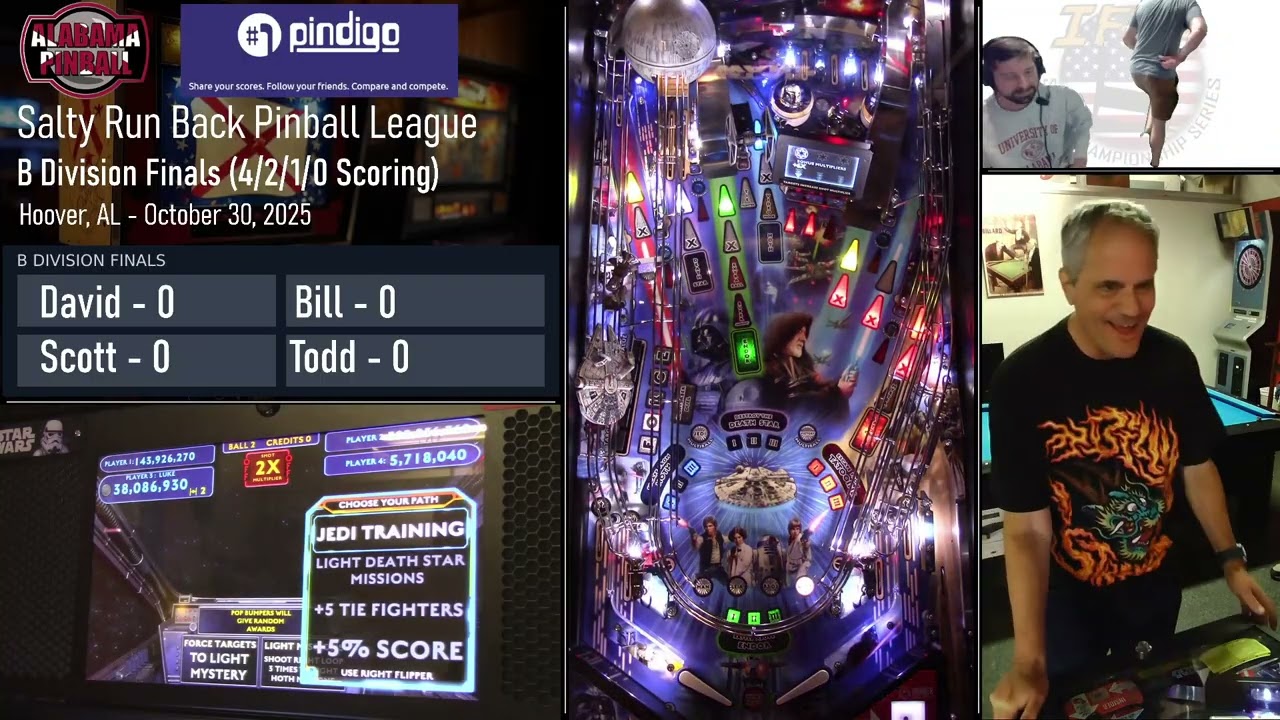
If you’re seeing compression artifacts, those are undoubtedly caused by YouTube. The recorded footage looks really, really good. The setup is a breeze and it just works every time with no fuss. The Star Wars footage at the beginning of the video is from about 80-100 feet away through/around a wall of glass and looks great.
However, there were some times during the day when I did start to get frame drops, strangely when the TX and RX were closer together and only transmitting through a sheet of normal glass about 15 feet. Maybe it caused more problems than I thought because both machines where I experienced drops were in the glass-enclosed area.
When frame drops happen, it’s almost like the units hang on to a frequency that drops frames for way too long before seeking a cleaner frequency. I experienced this at our most recent tournament where the beginning 3-4 games look really great streaming through one wall, then some interference comes in where 2 hours of footage has drops frames. Eventually, it switches frequencies and the frame again rate looks passable during the finals but not quite as solid as the beginning of the stream.
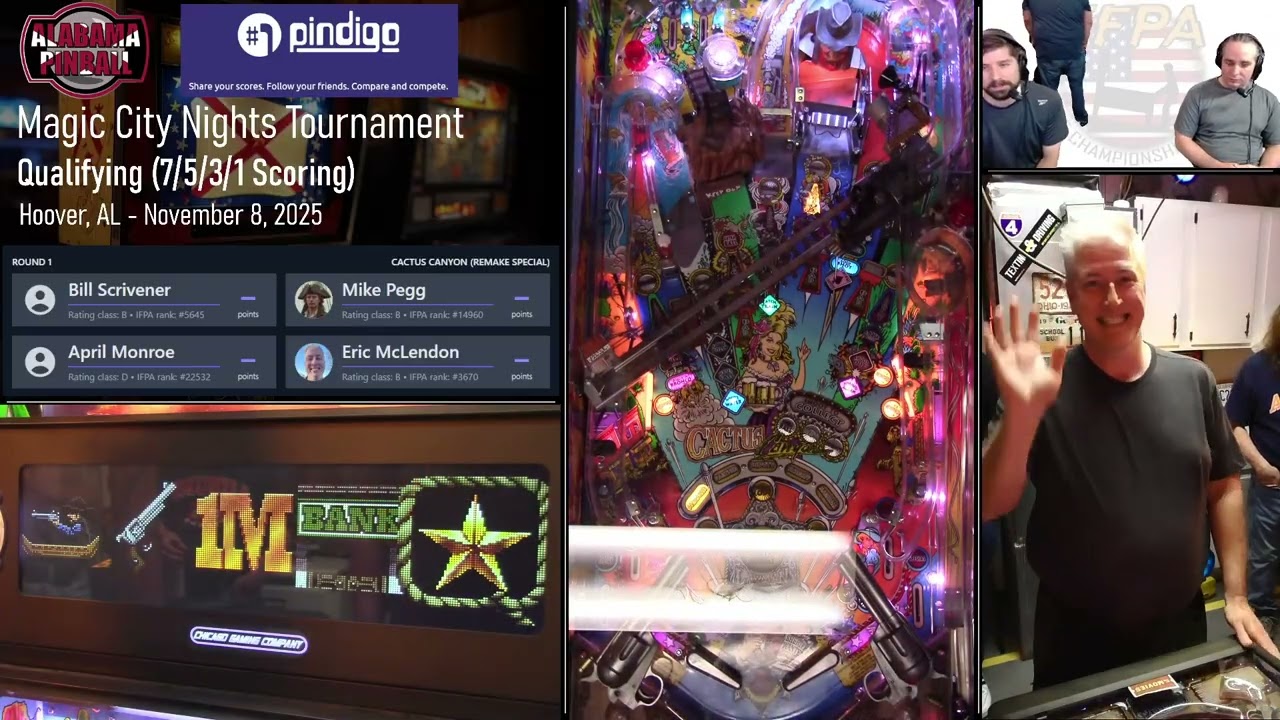
Cactus Canyon is through a wall and down the hall, but this was happening on all the games during this time. Eventually, it did sort itself out. I’d swap channels manually, but I can’t tell if/when it’s actually dropping frames because the preview output from OBS looks a little chopping all the time (I’m guessing from the old TV I’m using as a monitor or the HDMI output on my laptop).
If I were to do it again, I’d just go straight to the C2. All of the reviews I’m reading and seeing on YouTube are basically saying all these issues are solved with the newer model and it performs really well even in crowded arenas with tons of phones and other interference around. The only unknown is whether it performs just as well when transmitting two TX signals to a single receiver, but all I have seen are industry professionals being surprisingly pleased with the performance for the price point, saying the C2 easier to use and more reliable than anything Teradek makes including the high-end stuff. They also say any differences in picture quality and latency are negligible.
Anybody want to take one for the team and buy a C2 to try??
I can, but likely won’t be until after Pincinnati. Can I power the C2 with power banks?
If you can, I’d try to make it happen before then because that’ll be a huge stream. Even if you just use it for the playfield and keep everything else the same, it’ll be absolutely worth it. It can be powered by a PDI power bank and a USB-C to DC cable like @dri linked a few posts up.
Conventions are expensive enough, no point for me to do it now. Sorry.
I understand that completely. I’ve thought about offloading some other things to fund a C2 purchase. Even if the “value” is still there, it’s not exactly inexpensive.
Just wanted to remind everyone of a tip. I was watching Pinball Jones last night just absolutely perplexed about how they were able to get such stable results with their Cosmo C1 while I was still struggling with frame drops from just a few feet away.
Well, I figured it out, and the solution is to give the receiver PLENTY of room to breathe.
For reference, this is the setup I’ve been using for quite a while at home (showing 2 of the typical 3 receivers hanging):
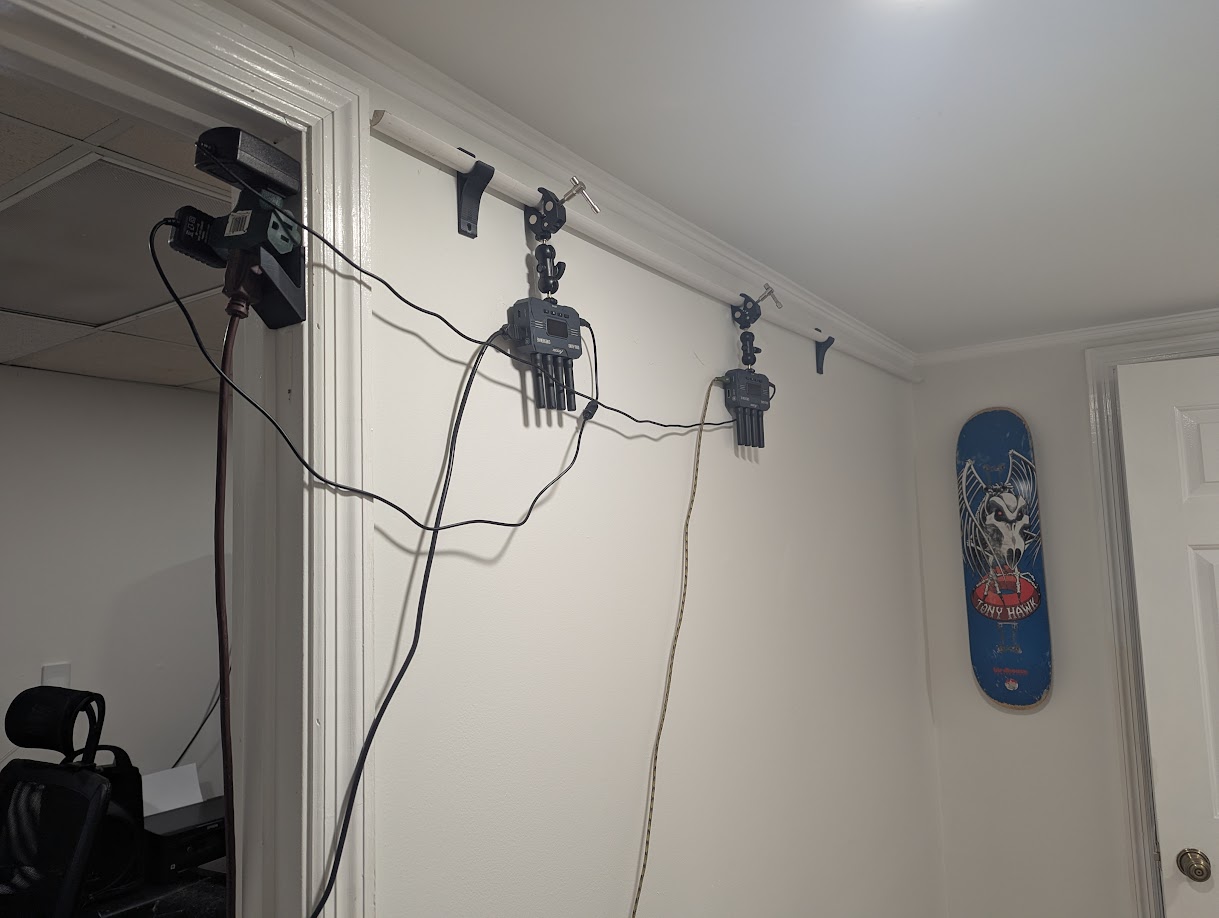
Imagine all 3 receivers with cables that wrap around the wall to the computer on the other side. The problem is that they were simply too close together. I started doing it this way because this is the central location for the games in my house and minimizes the amount of walls needed for the signal to pass through to reach any given game. There are games behind the camera and also around the hall to the right.
My tournament setup is similar in that the RXs are too close together. It’s a microphone stand with extensions about 3 feet on either side where all three receivers are mounted as far apart as possible but only about a total distance of 24-36 inches between each.
I know this has been mentioned before, so what’s the big deal? Bottom line: you need as much space between the receivers as possible to avoid crossover interference and frame drops. And I mean at least several feet. On a whim, I moved the C1 receiver into the center of the office (about 8 feet from the next closest RX behind the wall pictured).
I immediately started getting a frame-perfect result. This includes going through the office, the bathroom, the closet, and then the bedroom walls. Even though there is more wall coverage, which seemed like it would cause signal loss, the real problem was the Accsoon receivers being too close to the C1.
I’ll be changing my tournament setup to two independent stands - one for the C1 receiver (playfield) and one for the Accsoons. This way, the receivers can be at least 6 feet apart. Ideally, the C1 would be 10 feet or more feet away from the others. 2-3 feet simply doesn’t cut it.
Perhaps the Cosmo C1 is even better than I thought. I was unknowingly handicapping the signal. I already thought it was pretty good regardless, but I’m curious to see how this changes performance at the next tournament.
1 Like