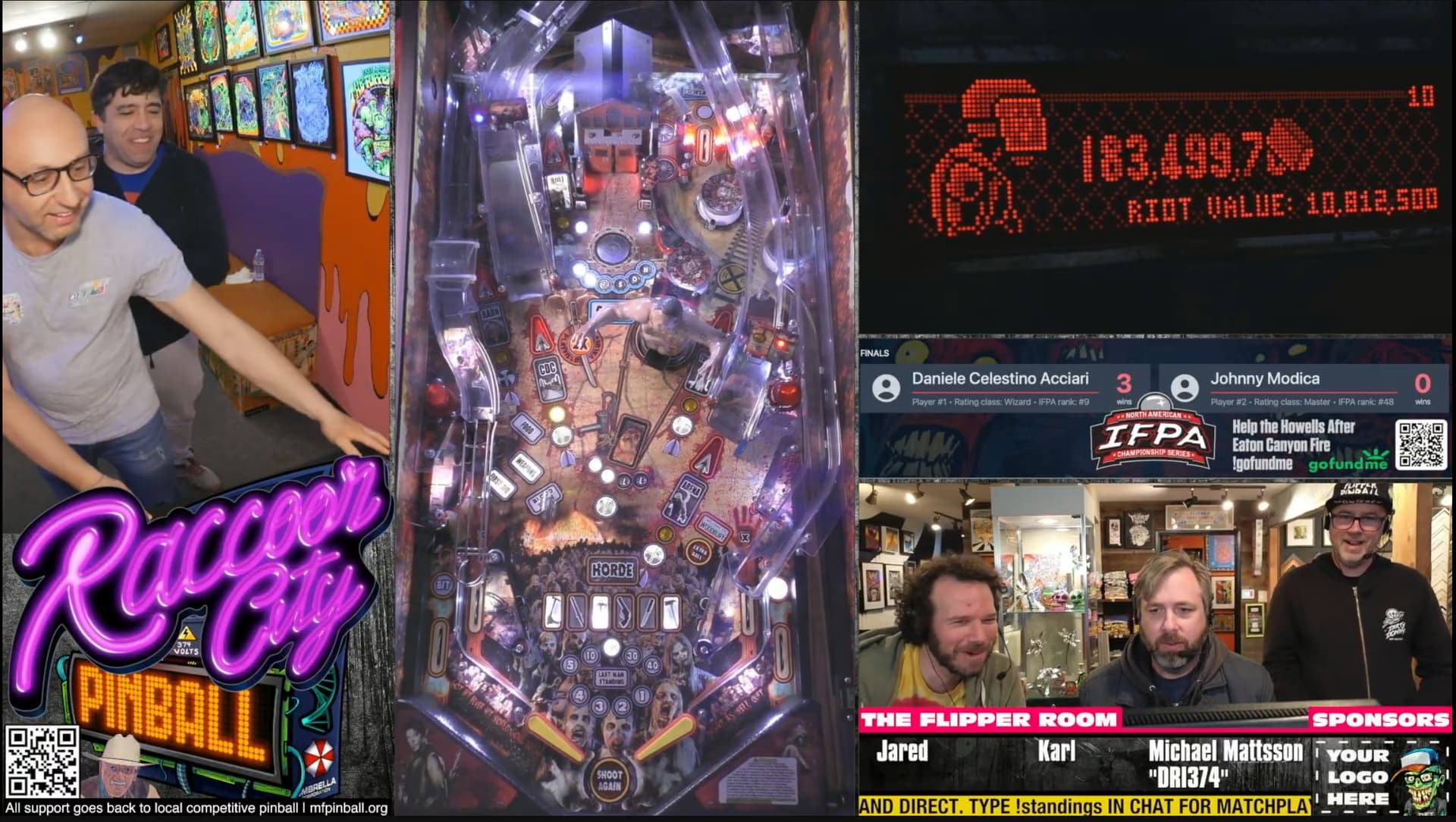
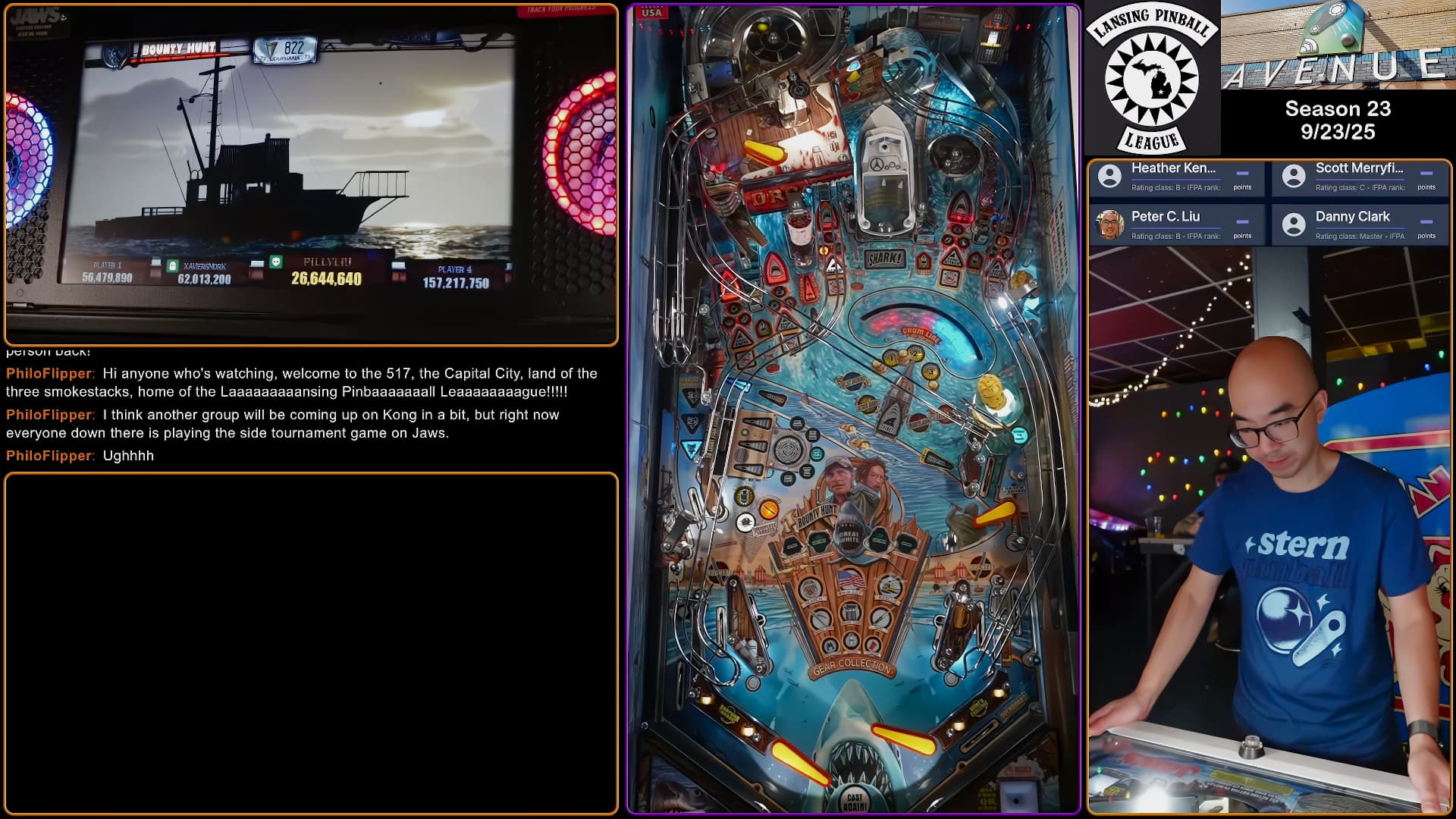
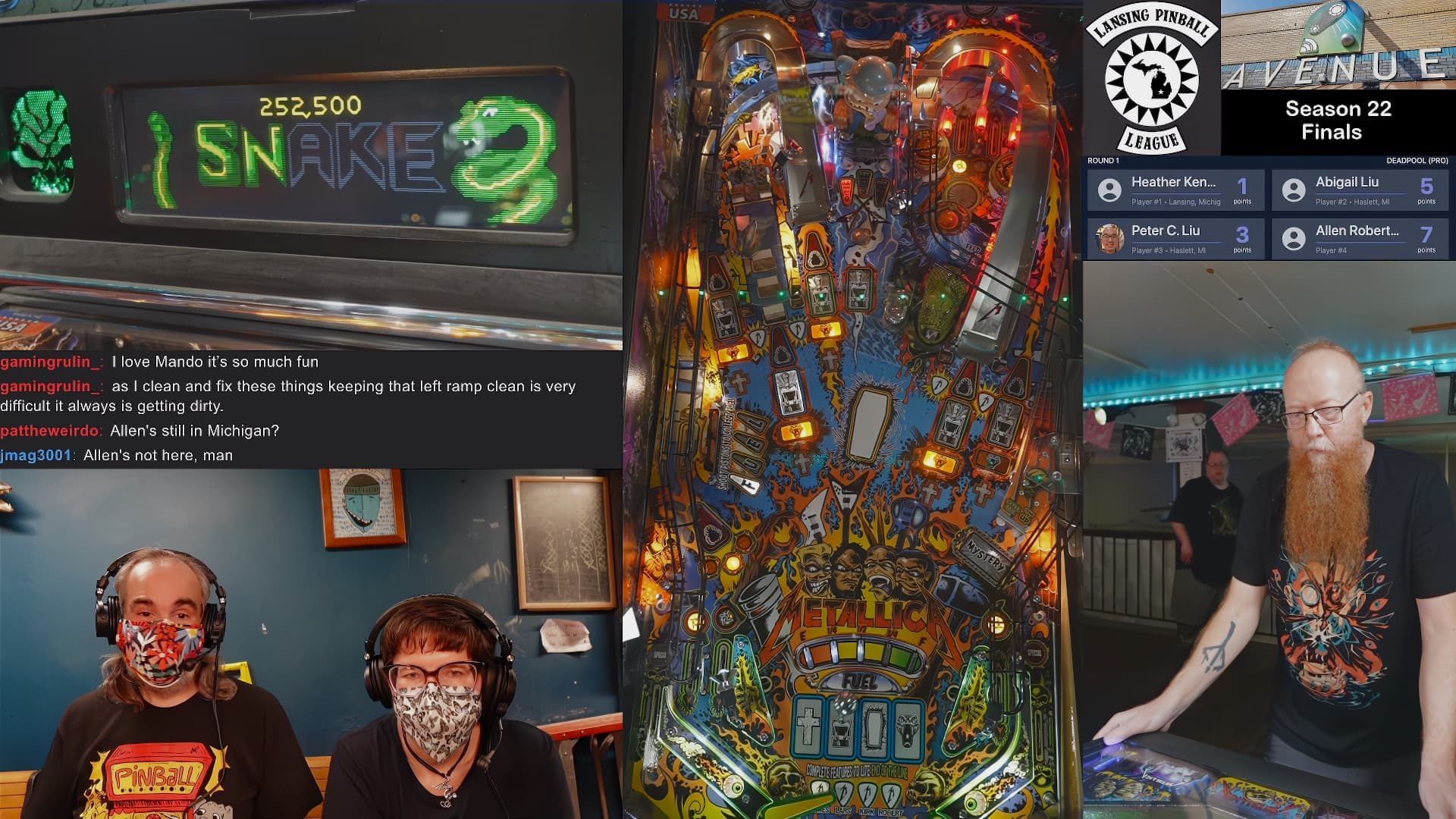
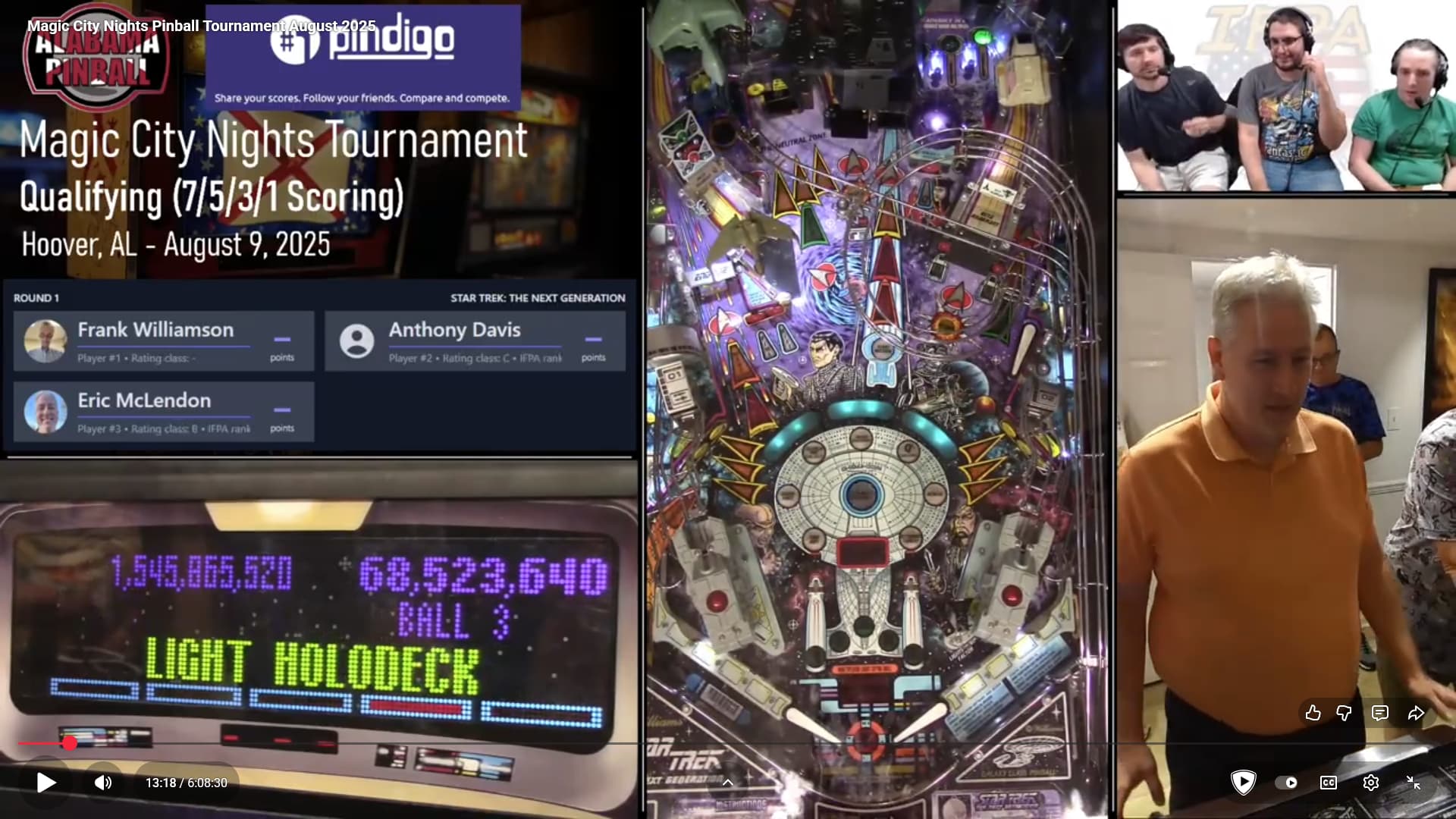
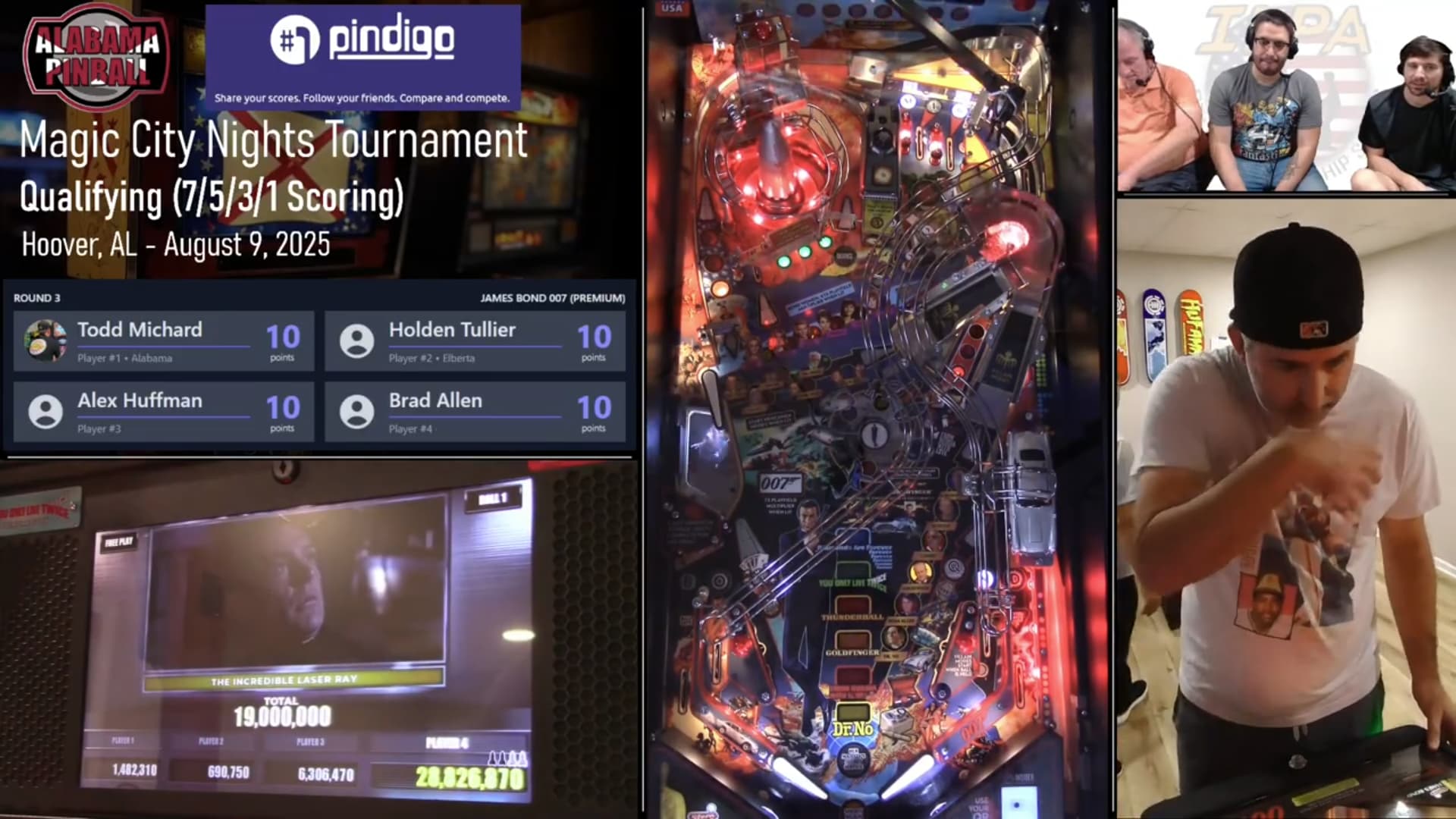
I hate this layout with a passion. It has the Feng Shui of late stage dementia Rembrandt.
It is the player camera and viewport, mostly.
No one is interested in seeing ceiling of the venue. You are not the worst offenders. The worst streamers that run full 9:16 have about half-body and half-ceiling the frame.
The player is facing outwards, away from the playfield, away from the action, staring down in a corner. They might as well have the lead role in the next installment of Blair Witch Project.
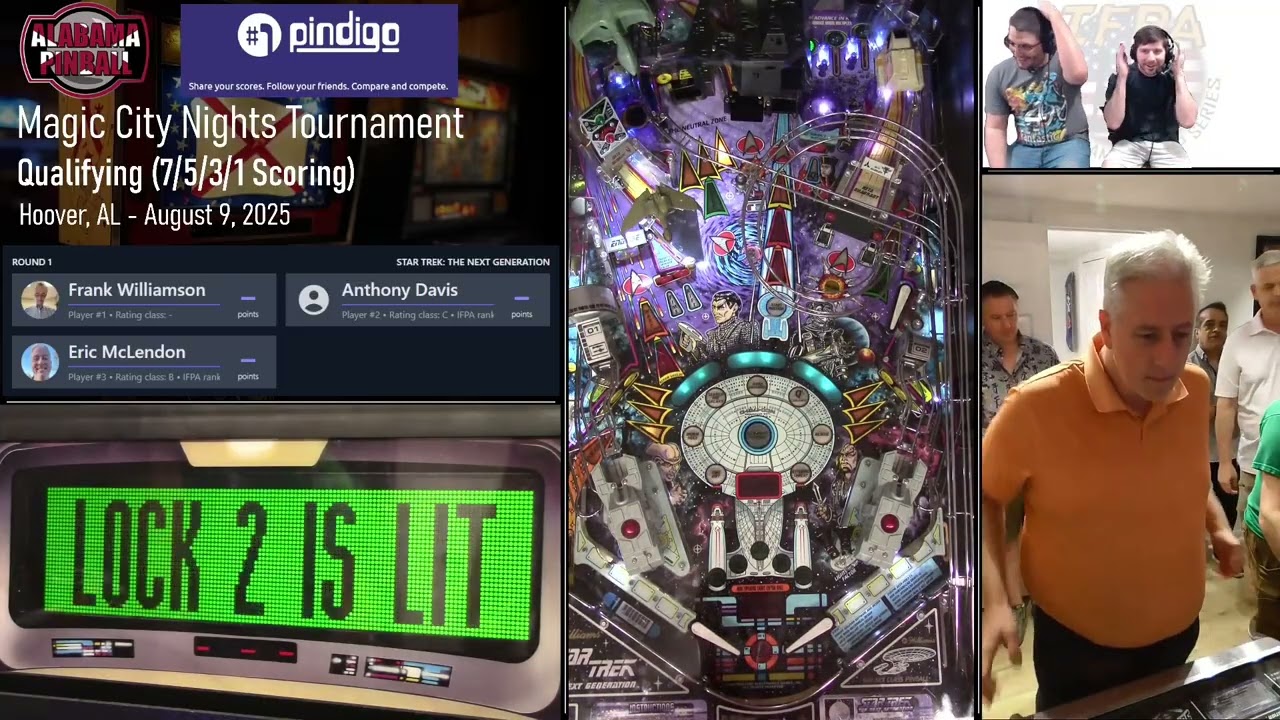
Let me demonstrate.
The player looks down on the flippers and into the playfield. This could be fine tuned further to have the lockdown bar the same size in the player shot and playfield shot.
When a player looks or points at the backbox, the score camera is where the player is looking or pointing.
The rest of the space you can do what you want with. Advertising, chat, event metadata, commentators, rack & stack as you please.
Another point I want to bring up that most viewers are watching our tournaments in windowed mode with chat on the right side. The natural flow there is of course to have your commentators attached to the chat, which you have in your layout but I further wanted to augment your argument of placement. My commentators have chat in their HUD on the top left so when they read chat they look at the direction of chat in the viewers UI.
Good points. I have my score cam in the upper left. If you are playing, you need to look up to see the the scores and status. So I think it is more natural to have it in the upper corner.
Definitely agree with you all that large borders with a smaller playfield cam is not good. I think small borders make the screen more readable. I find some layouts cluttered with everything packed together. It’s the Apple UI trend with rounded edges. Give up a small amount of the picture, but the look is more modern.
I would argue that the player cam is more important than most give it credit for. Seeing someone hands for their nudging technique and slide saves is really nice.
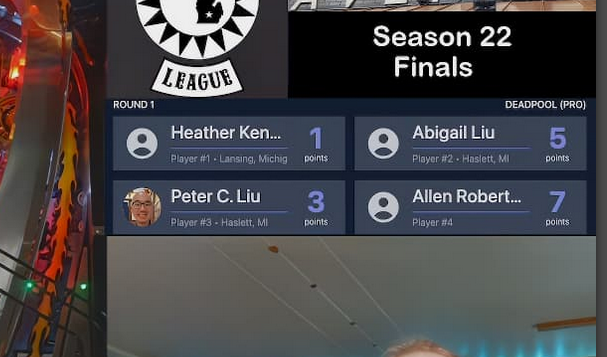
My layout is definitely a work in progress. Not sure if player chat is needed for tournaments. That’s a holdover from my personal streaming. Lansing Pinball League is small compared to most of you, so we don’t have to worry about fitting in fancy stuff like sponsor logos.
I also overcropped matchplay in the border example so that the name of the pinball machine is cropped out. That’s something I need to fix.
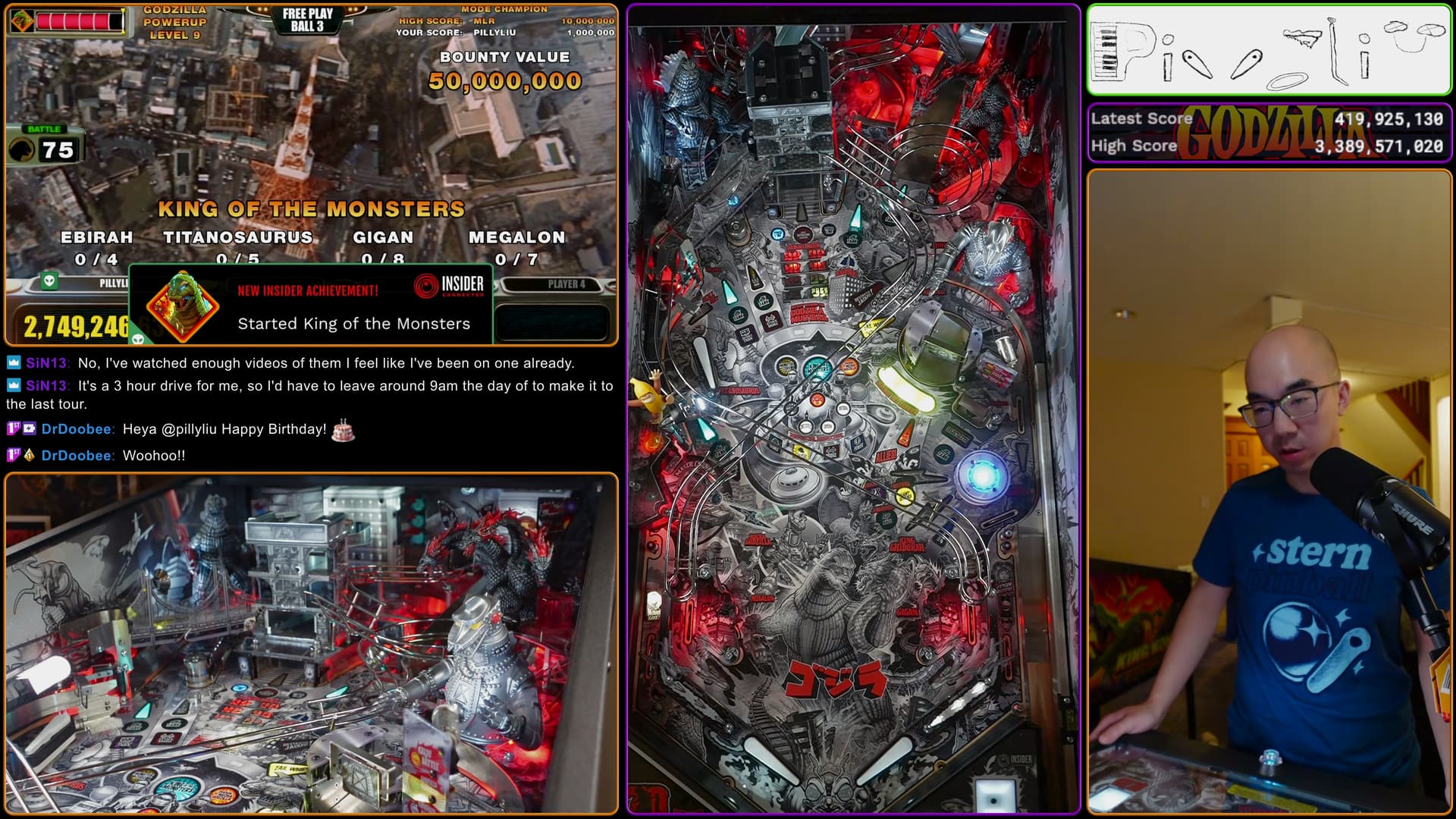
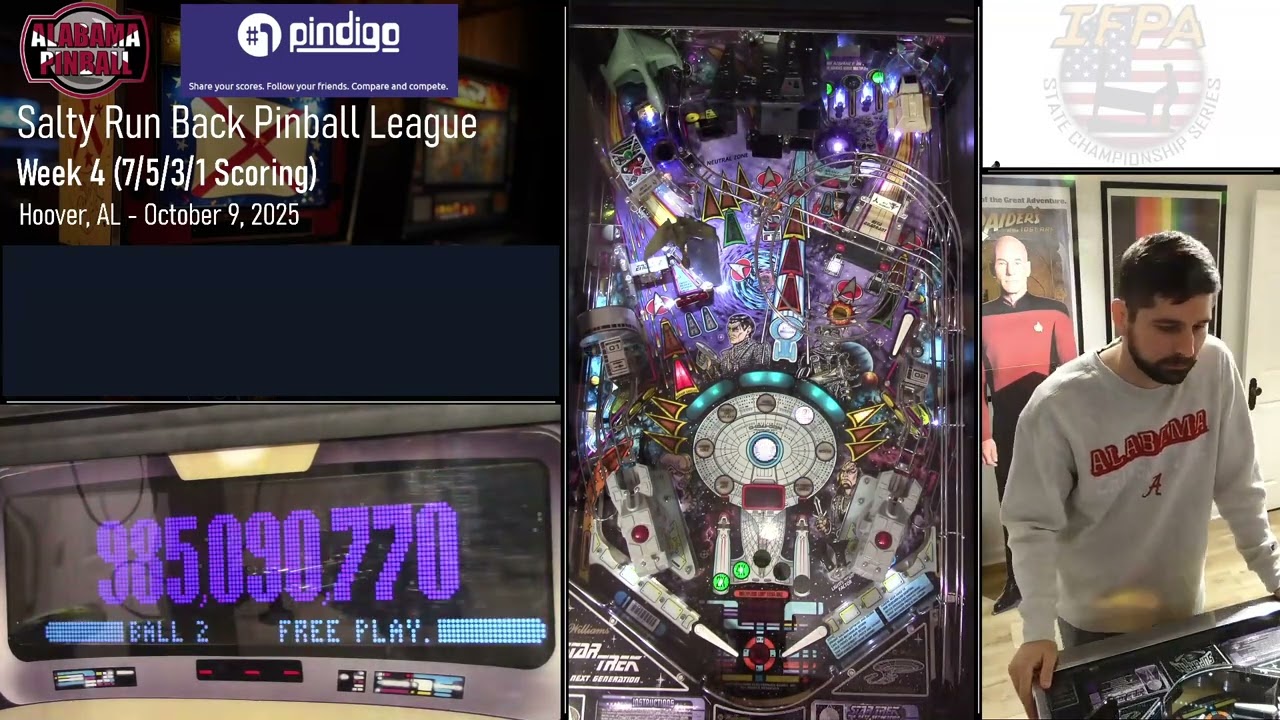
Here’s my layout when I stream at home. I need to move the mic out of view because I am slightly out of focus as a result:
Interesting point here. Might consider switching it up to see how I like the change.
This is also a really important point I never considered. I almost always watch on my TV or a tablet with the chat closed. If I chat, which seems to be rare these days, I use my phone. I’d be curious to see how many people do the same. I don’t like having the chat on the screen of tournament streams for all the reasons I mentioned above. It would be cool if they would allow multiple views for people who want the chat on the screen but they don’t as far as I know.
Ok - the results are in. Before reading further, it’s important to note that Strikes and Spares is in a notoriously difficult spot for our stream. It’s probably the most difficult spot of any game in any location we regularly stream in terms of getting a good signal. It’s only about 20 feet away, but it’s through 2 walls around the corner. I have more trouble getting a signal to this game than even other places where we stream through a single wall at a much greater distance.
And the results are MUCH BETTER. In the test footage below, you can see how the playfield cam is perfectly watchable. There are some skips here and there, but, when the Cosmo skips, it doesn’t seem to freeze the whole camera. Sometimes it’s even difficult to tell if the transmission is skipping or if it’s just the LEDs getting slightly off sync with the shutter speed of the camera, which this game is known to do.
Now, compare that to this footage in the same spot from a recent tournament and the difference becomes immediately clear:
On the other side of the room, you can see the Cosmo is absolutely rock solid. If you watch the player cam closely, you can see the Accsoons skipping occasionally while the Cosmo doesn’t skip a beat.
Obviously the real stress test will be in the field during a tournament when there’s all kinds of interference, but I think the 2 Accsoon and 1 Cosmo setup is definitely a player for an “affordable” and stable form of transmission.
Is it worth the upgrade if you’re running 3 Accsoons? I’m going to go ahead and say yes if you’re trigger happy, but I’d like to get at least one real world tournament under my belt before I make my opinion official.
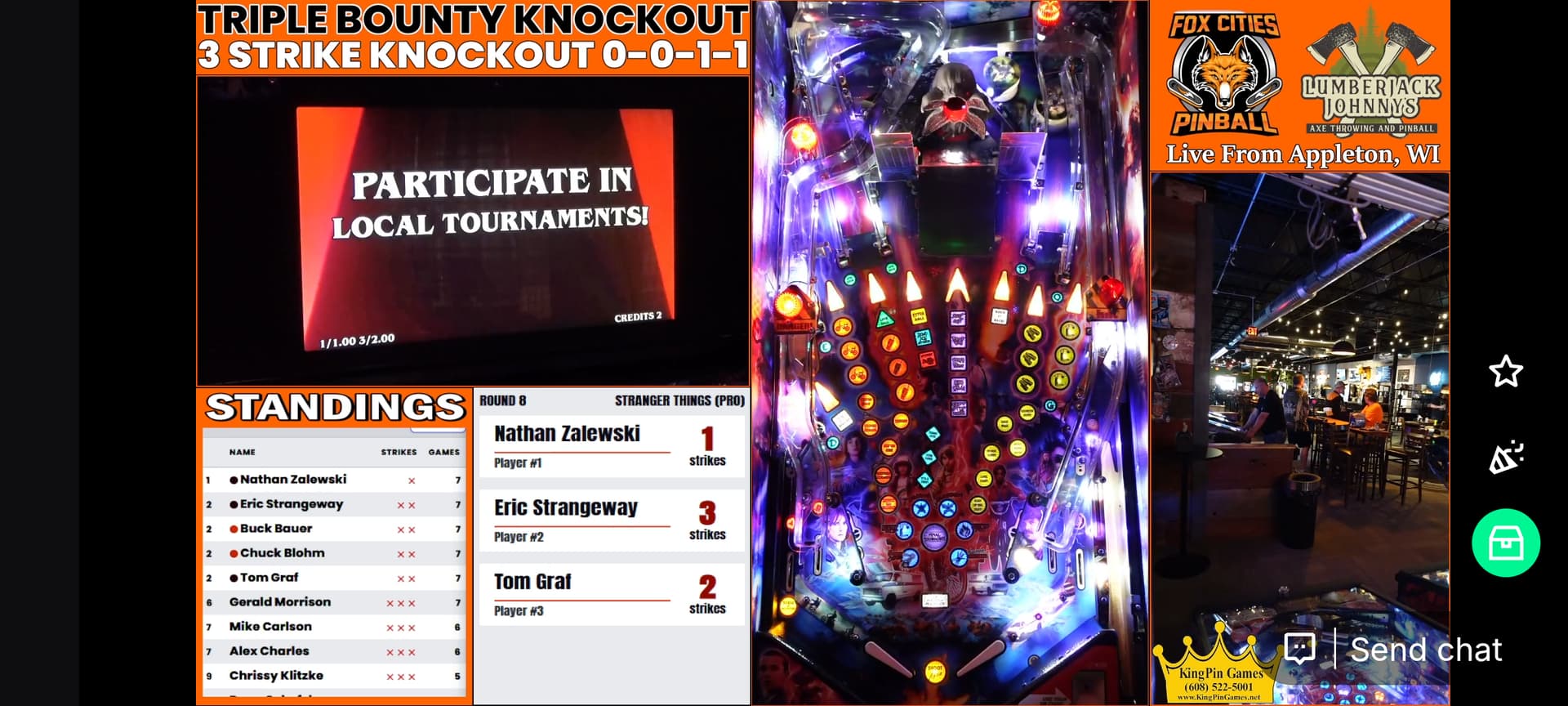
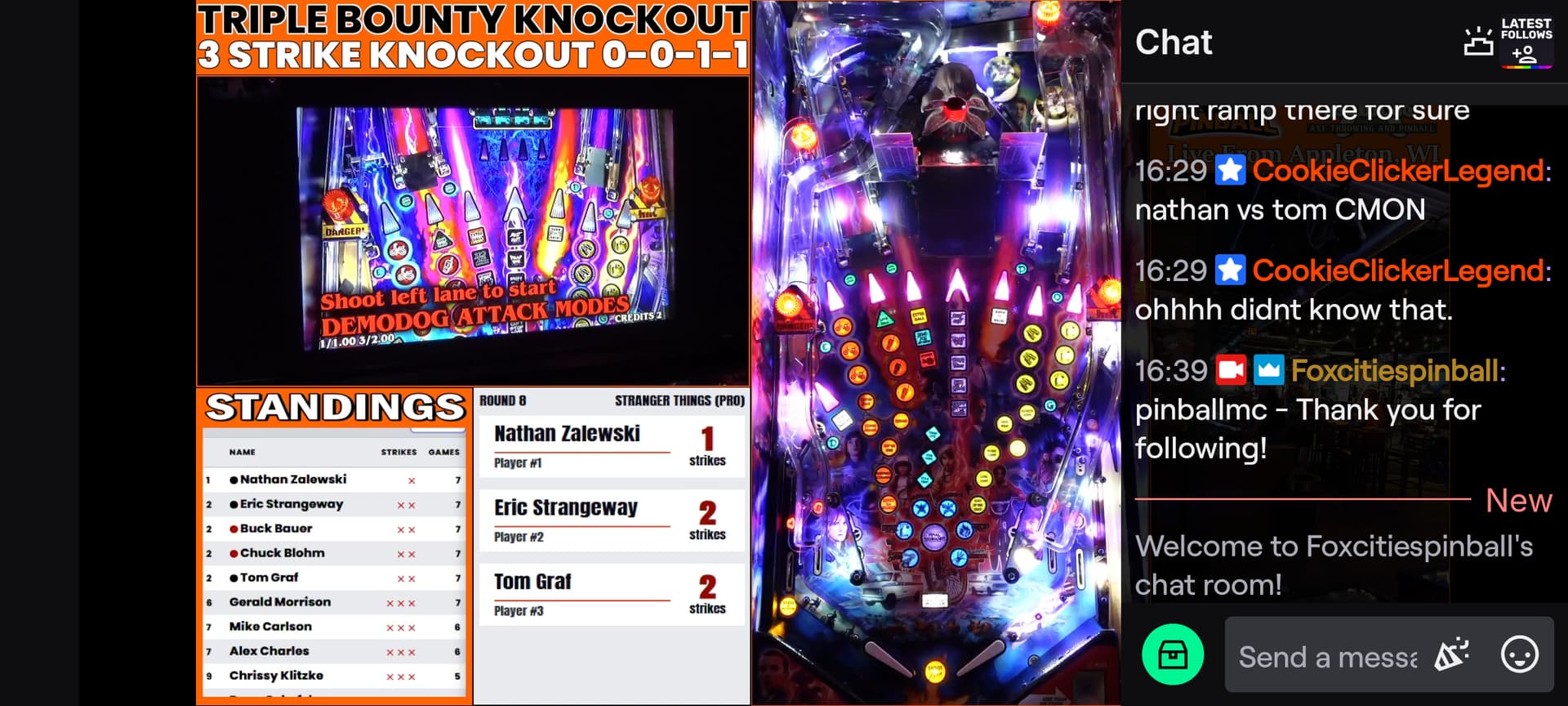
One thing I am fairly passionate about it people considering chat in overlay mode on mobile. If I have chat up, I would rather be in this mode. So that means keeping important things away from the right side of the layout. Here is an example for Foxcities (they just happen to be streaming right now).
On my phone, this layout allocation works perfectly.
The other point I wanted to bring up is the comment about putting score display at the bottom to be near the flippers. I don’t like this when I am watching on my tv. I can see the entire screen, but when I am leaned back in my recliner, with my feet up watching some pinball, the bottom of the screen is the most awkward to watch. Putting the score display at the top brings the actually score close to the center which is much more natural place to look. Also I like looking up from the flippers to see the display because it mimics the action I take on the actual game
I would set the shutter speed to 1/60 for a more natural motion blur of the ball. I guess it’s a matter of taste.
Oh geez, that looks like it’s locked in 1080p30 or less.
The C1 looks really good, I can’t visually distinguish any compression artifacts in fullscreen on a 2K monitor, however, this is a pretty mellow playfield, do you have any Sterns or JJPs around the same spot?
For the greater good and benefit of the experiment, I moved STTNG to the same spot where Strikes and Spares was. I even moved it a little closer to the wall - deeper into the corner. Just take a look at this:
If it ever skipped a frame, I never saw it. I also ran it while attempting a bandwidth test in OBS to cloud the airwaves and it seemed to perform absolutely perfectly.
That’s great to hear considering YouTube also compresses the video. I gotta say I am pretty impressed so far. I’ll be curious to see your thoughts when there’s more action and lights happening that are more difficult to compress.
It’s a Canon Vixia HF R500 handicam that only has a few shooting modes. It’s often at odds with older games that have LEDs susceptible to the 60 cycle flicker coming from the wall AC. I run it in 1080p/60 obviously, but I’m assuming that means the shutter speed automatically sets to 60.
It’s a premium feature from Match Play. Anyone can use it for the tournament as long as the tournament organizer has a premium subscription (no idea how much that costs, but it can’t be that expensive). Send me a DM. If we can work out our calendars, I’m happy to jump on a call/screen share and help you with your setup.
Thanks for entertaining the experiment. STTNG definitely smudges up compared to S&S.
I had a Vixia camcorder once and learned that on the model I had, the HDMI out is just a “preview” and not actually running the full sensor. Record some footage on an SD card and play it back on the HDMI out and you’ll see what I mean (if your camera has this same issue). That could also be the “smudge” I mentioned, YMMV.
You would replace the “xxxxxx” with the 6 digit code that corresponds to the tournament ID in Matchplay
If you haven’t use matchplay before, obviously more to figure out, like pahuffman said.
Matchplay premium is $40 a year to run tournaments I think. I am not the tournament director, our league director is. But I run the streaming and all I need is that link above and the tournament id which you can find in the URL for the tournament.
Thanks, pillyliu and pahuffman! I’ll reach out to the TD since he might already have a subscription. It should be pretty straightforward to integrate as a browser source, just as you mentioned.
I have one I haven’t been able to figure out. When I activate my instant replay source or scene, there is a brief moment where OBS shows the tail end of the second-most recent replay, then flashes to the new one. It takes probably half a second to update to the latest replay.
I’ve tried numerous ways to mask this or refresh the source while inactive, but OBS simply refuses to update the source until it’s active on screen. I’ve even tried keeping the replay in the same scene and masking it with a transition stinger during show/hide, but the media refresh causes a blink where it shows a blank shot of the background.
Has anyone else experienced this? If so, how did you get around it? It’s really jarring when you change games and it briefly pops up the last game then swaps to the current replay.
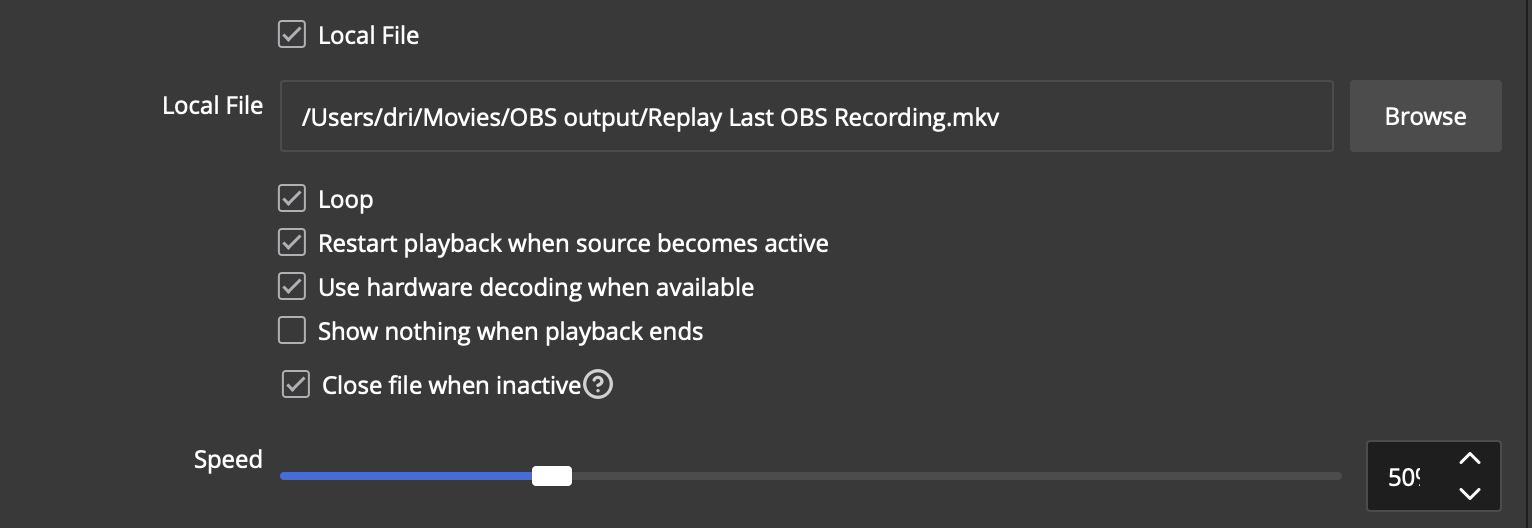
I’m looking at your save file. Are you using the Directory Media Watch plugin to update the file to the newest replay or does that format overwrite the same file?
I am as well in terms of the replay functionality. I think our file management is a little different. Here’s an example of what I’m talking about. See how, for a brief moment when the replay starts, it’s playing the tail end of the previous replay?