So no need to try the C2 then? Thanks for sharing!
I actually do think the C2 is probably still the way to go since we’re starting to see used and refurbished units hit the market. Everything I’ve read says they’re basically bulletproof. I think the value is there if you go for the 2TX/1RX setup.
Here’s 20 minutes of buttery smooth C1 footage from last night.
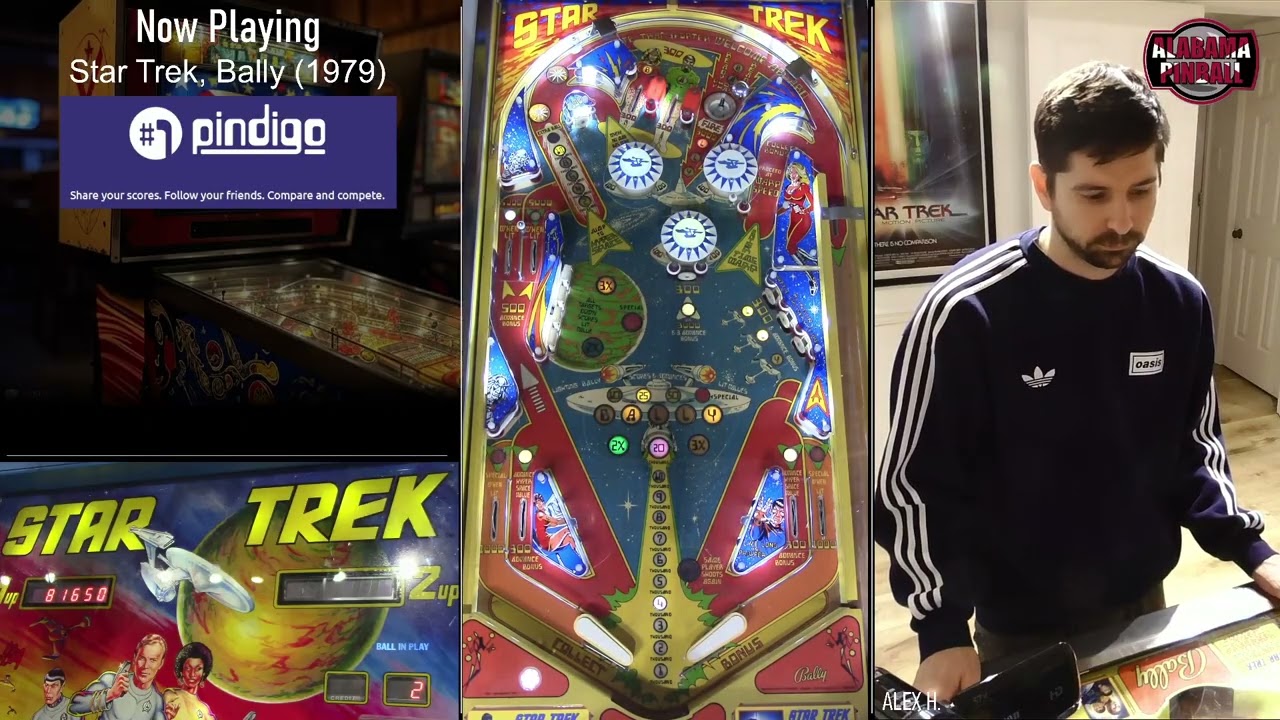
Even as good as this is, if the C2 is twice as reliable, 3x the distance, and just as easy to setup like they say, it’s going to make a wireless setup very stable and reasonably affordable and take pinball streaming production levels to darn near professional quality.
With the C1, I’ve gone from “How many frames am I going to skip in this broadcast?” to “Did that just skip a frame?” Sometimes it’s hard to tell and I really look for them. Just smooth motion 99.9% of the time now.
1 Like
If you approve of these, I’ll know I’m good. I still never saw the additional issues you saw with running 3 accusoons, but I’m getting to the point I’d like to at least level up the playfield transmitter.
This has been determined earlier in this thread. I had to do this Lynn’s to get rid of all the stutter, maybe 18-20" apart. WiFi enthusiast will also tell you that the antennas should be angled 45° for optimal signal. I think it applies to one of the bands only though.
I wonder if Accsoon would be open to some feedback here? The rubberband effects exacerbates the visual artifact more than just having a frame frozen and immediately skip to the correct timecode once the buffer is being populated consistently.
Here’s an exaggerated example of what I mean. I’m not picking on these guys. I just happened to notice it when when I tuned into their stream the other night. Believe me, I understand their plight.
https://www.twitch.tv/videos/2622214106?t=02h13m00s
Notice how the ball “jumps” from one position on the playfield to the next and the motion is very herky-jerky? Compare that to the smooth-motion video I posted recently where it’s buttery smooth.
The problem with the Accsoons is, even in the absolute best conditions, about once per second they make a small little jerking motion. Take a look at some Accsoon footage and wait til the ball travels slowly, like up an inlane on a catch, and you can see it just looks like the picture twitches, freezes for just a second, then attempts to catch back up to real time. Not really a big deal for things like the player or display cameras, but very distracting on the playfield. This sounds like nitpicking, but rarely are the conditions so good that the motion approaches a full 60 frames per second on those units. Again, perfectly fine for the non-playfield cameras.
Under signal conditions like the video above, which is more often than not (though not usually this extreme), you get motion that looks like very disjointed and hard for the eye to follow because the ball “jumps” around at random frame intervals. I’ve found the Accsoons perform okay in controlled environments, but when you get 30 people in your basement or arcade and they all have a phone, or when you go to somewhere new and you’re not sure where the optimal setup is, they perform quite poorly. Even when the conditions are optimal, they still freeze a little. Basically, perfect performance doesn’t exist, and when the conditions are less than perfect, they suffer even worse frame drops than what’s acceptable for a playfield IMHO.
So what are you really buying when you upgrade?
Flexibility - with a C1 or C2, you can show up pretty much anywhere and not have to worry about there being a couple of walls between you and the games, giving you way more options about where to put your booth. The signal cuts through crowds and phones easily, and if the signal gets messy, will seamlessly jump frequencies until it finds the best one for the environment. It’s more of a surgical approach than a “spray and pray”.
Performance - Not only does a perfect 60fps exist, it’s pretty easy to achieve, providing smooth motion for the ball as long as you allow enough space from your other receivers somewhat isolate the signal. In an environment where the Accsoons would be struggling, these things have no problem maintaining wireless delivery of frame-perfect playfield action.
This exactly. They need to update the firmware so at least it will behave like the Cosmos and the motion of the ball carries through like you described. Even the higher-end Accsoon units do the jumpy motion, just less often.
I think what happened is that Hollyland figured out people want to use this technology for live production rather than monitoring on a film set, which is where the market really started. They really put all their eggs into the “signal stability” basket for this reason and it has really paid off. I’ll eventually move to a C2/C1 setup and never really have to worry about signal conditions ever again. Makes my life easier, makes the broadcast better for the viewer, and means our tournament archive will be a pleasant experience to watch 20 years from now when I’m reminiscing.
Does anyone have any experience with the Sony HDR-CX440 camera? I picked one up cheap & I’m wondering if I’ll get similar results to HDR-CX405. I’d like to use it for my playfield camera (currently using Mevos). I seem to recall someone saying most of HDR-CX series will work well for streaming, but I can’t remember where I saw that.
My whiteboard is broken. Deleted my old lua script and reloaded a fresh one I downloaded from OBS. Still no joy. Couple pics. One shows the script and settings and the other is showing my whiteboard source with red font. Not sure if that means it’s broken, but when I do a projector window, I can’t write. Any help?

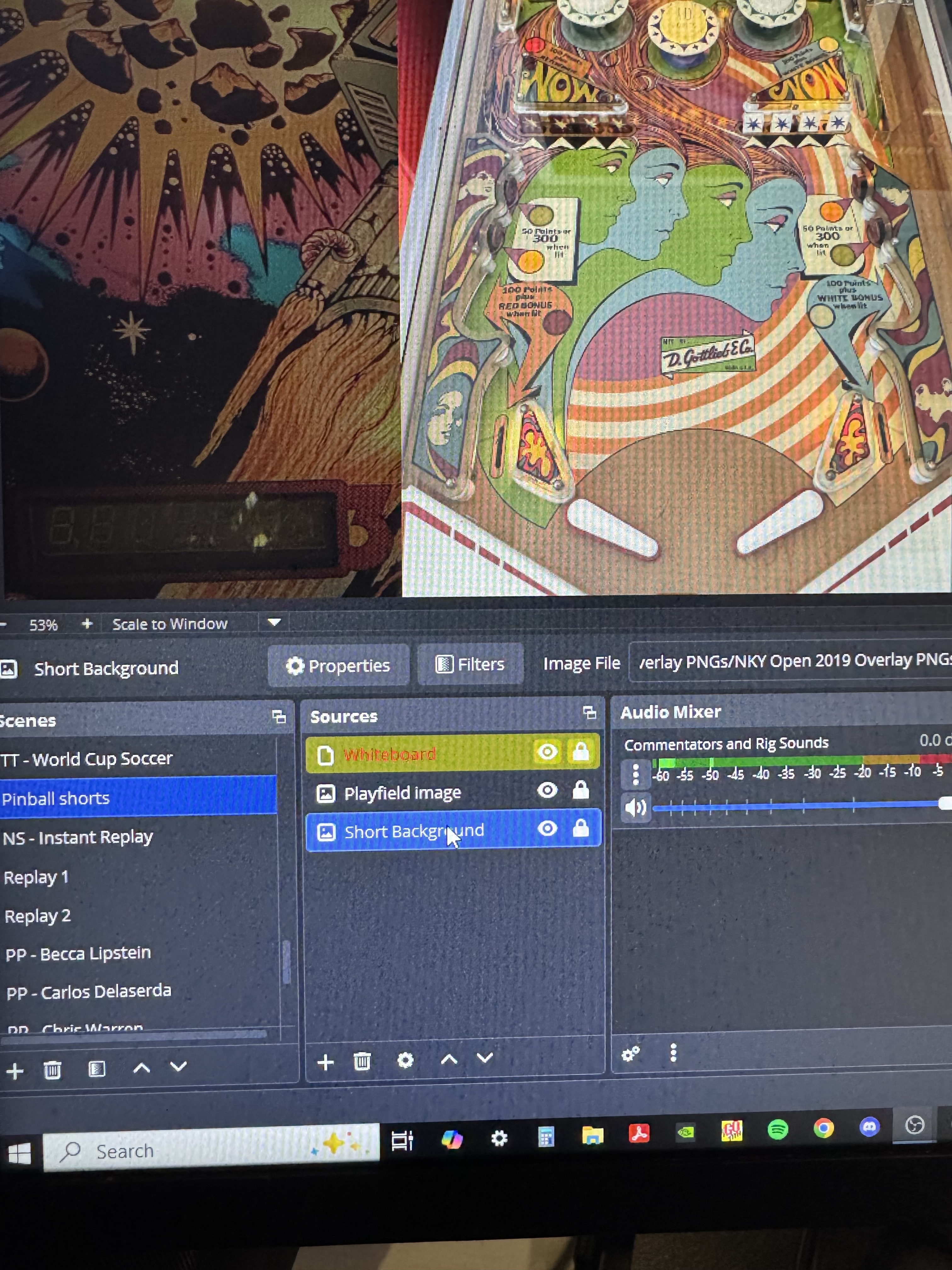
I wasn’t able to get this to work, but the draw dock plugin is working well. Went with that.
I had this problem back in August. Replaced it with this and everything’s been fine.
1 Like
Did anyone ever try one of these out? They’re claiming 1.5 miles range on 4k transmission. At $800 + a 4k multiviewer, this would seem high-quality/cost-effective solution.
Indeed it seems. At a meager 12Mbit/s H.265 the results are not ideal. The Accsoon’s frame skip is also there.
I’ve done a bunch of testing here and there that I’ve published.
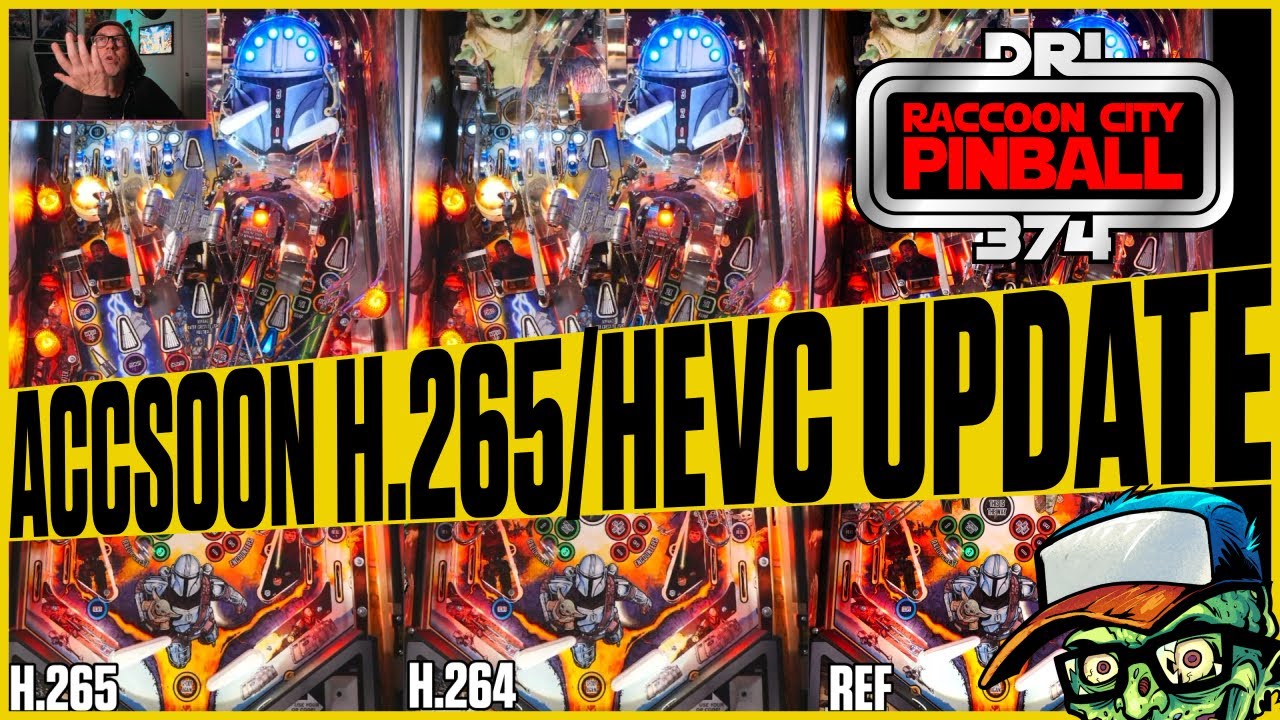
CineMaster 4K h.264 vs h.265:
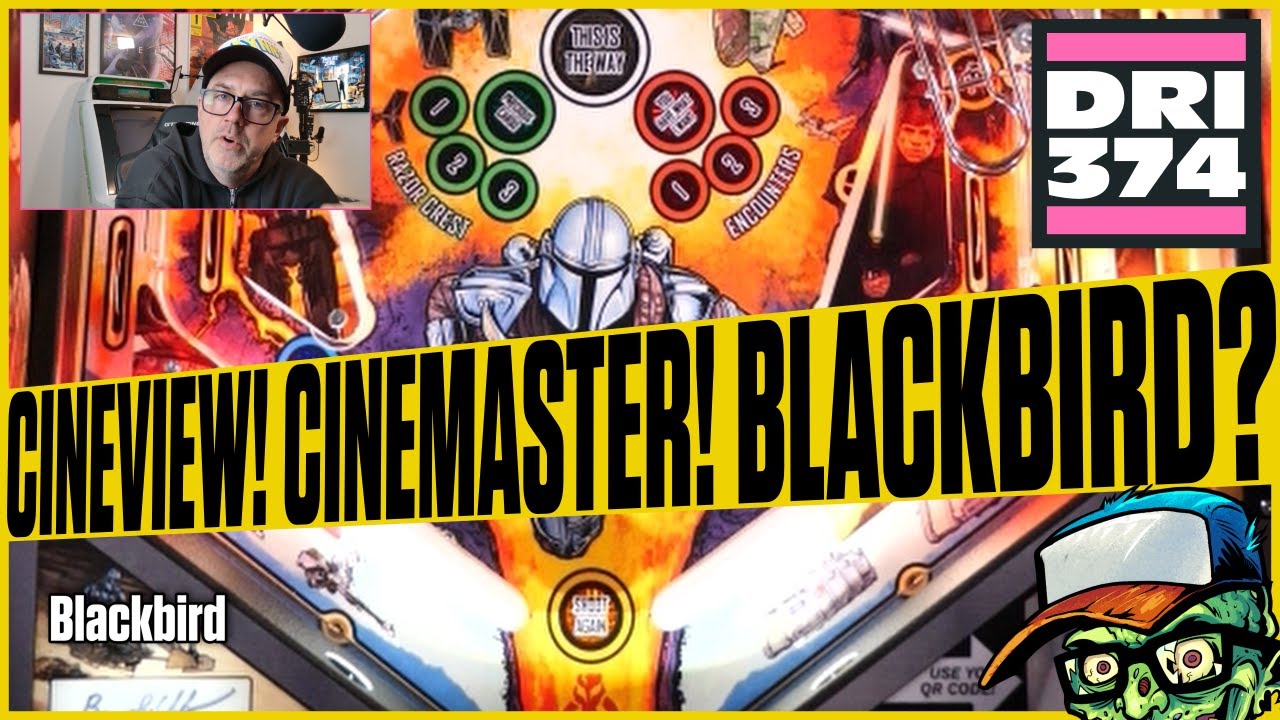
Comparing 1080p60 wireless streaming with a multiviewer (long live the monoprice!):
These are great! Thanks!
Since we’re currently using 3 CineView HE’s that already have all the issues of the CineMaster, it still feels like 1 CineMaster + a multiviewer would be a pure upgrade from what we have. Am I misreading the information?
Thanks for watching. Like I’ve said before, I think the CineView HEs are in the single digit Mbit’s, probably 4-6Mbit, very similar encoding you do from OBS to Twitch. The double-encoding becomes very apparent and the final render that your viewers watch lack a lot of detail and looks washed out. The encoders are great these days to “hide” compression artifacts by simply smoothing them out.
I’m not using my CineMaster 4K for anything but on location unboxing streams at the moment and I would not use it for tournament streaming because of the random stutter.
The quality you get from a single blackbird and a 1080p60 multiviewer looks way better in the final render/production than using a CineMaster 4K with a 4K multiviewer, which is really sad. The blackbird is uncompressed but of course suffers when something is obstructing the line of sight.
If you’re having issues with the CineView HE’s, mount them at least 2’ apart, that includes both ends (rig and station), and have them tilted at 45 degrees. If you’re still seeing issues I would hardcode the frequencies and ensure they don’t overlap with on location WiFi (I use an app called WiFiAnalyzer on Android, green WiFi symbol icon in the Google Play store).
All things considered, I don’t think you’ll see any significant improvement with a single CineMaster 4K from a quality standpoint but you’ll have a much easier time with signal stability if you’re in a noisy area as it has an additional frequency band.
I didn’t really want to discuss the quality of the HE’s. They’re what we use for streaming now and maybe the quality isn’t perfect but they’re robust. We stream in a lot of different locations and distance (through walls) and interference are two of our biggest challenges. The HE’s handle those better than anything on the market except for maybe Hollyland and I’m not in the market to spend the money required for those.
We don’t have any problems with our HE’s; it’s just that it looks like the Master might give us more distance, more interference management, have equal or better picture quality, and simplify the technology footprint to boot, all for a few hundred dollars.
If this is the main driver, you will have a simpler setup, the quality will most likely be adequate in most situations.
I’m no WiFi expert but from what I can gather, 2.4Ghz is what penetrates walls, 5 and 6GHz has better performance, shorter range and less susceptible to interference due to lesser WiFi devices uses those bands. So, I guess having one TX/RX pair will improve the “air quality” as you only have one device to worry about.
Another benefit a single device brings is that it’s simpler to wire up the receiver to be more mobile. Get a 50ft HDMI cable and place the receiver where it’s most strategic and less prone to interference. The “rig” can be a simple tripod on wheels with a 1/4"-20 extension rod.
Order everything off Amazon and send it back if it doesn’t work out.
I use this in conjunction with a tablet and an app called SuperDisplay. I’ve found using your finger is way less clunky than using a mouse/cursor. It can be set up via USB (which I use on tournament day) or WiFi (which I use when solo streaming and attach to the rig). I can monitor the stream output, watch the chat, and draw from one screen. I use a second tablet with TouchPortal set up and a “Clear Drawing” hotkey button.
Here’s a good example from last night of how it all comes together.
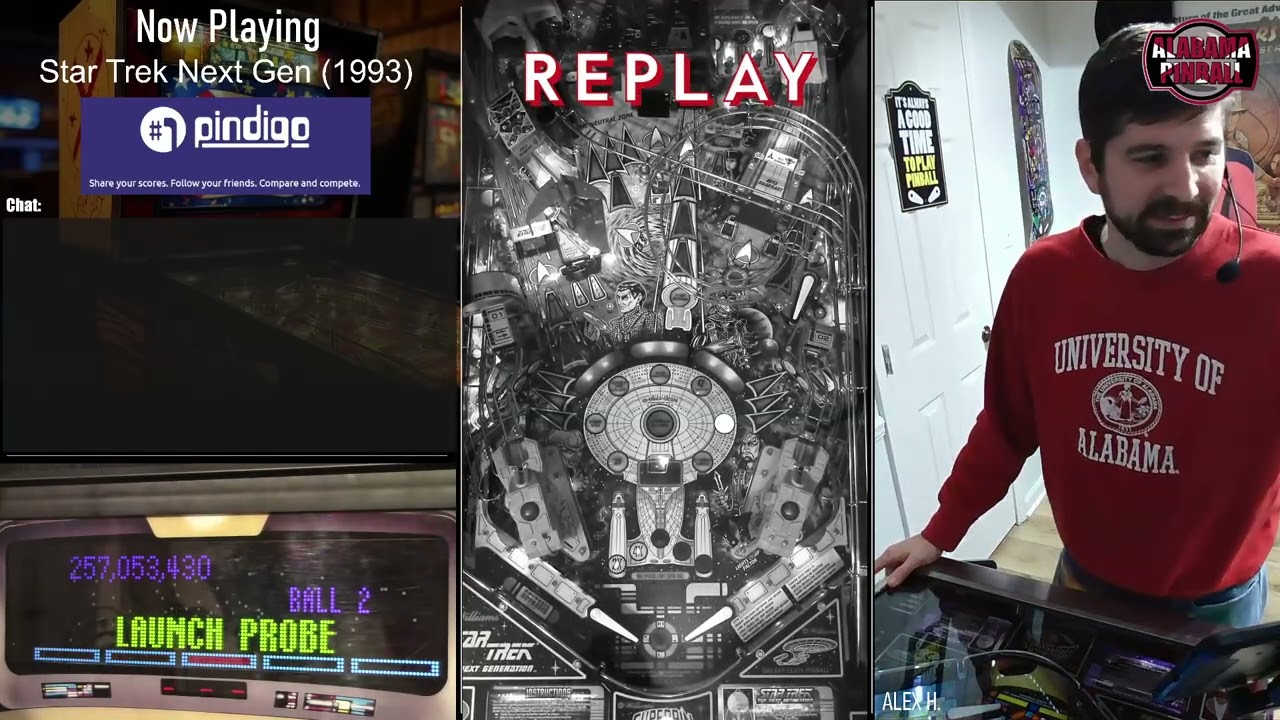
The Hollyland Cosmo C1 is significantly better in both signal and picture quality than the CineView Master 4K and can be found for around the same price. The Cosmo series is purpose-built for stability. Just remember to give the RX some breathing room.
The C2 is even better but obviously more expensive since it’s newer technology.
If you’re in the market to upgrade for “just a few hundred dollars”, you can’t beat the Cosmo series right now. You can get a C1 today for just the playfield, and instantly that will make any wireless broadcast 50 times more enjoyable to watch. The CineViews can still be used for the player and display cams because the motion quality is significantly less important.
Down the line, you can add a 2TX/1RX Cosmo C2 setup. Then you’ll have all 3 cameras running at a buttery smooth 60fps with great picture quality and no fuss or concern about interference even when streaming in a new or unknown environment.
However you slice it, the value is better in the Cosmos.
Whew. It adds up quickly.
| Item | Price with Tax |
|---|---|
| Rig Frame (2x4s) | $25.00 |
| Rig Hardware/mounts | $60.00 |
| Used Cameras (3) | $220.00 |
| Tablets (2) | $520.00 |
| Tablet Mounts (2) | $60.00 |
| HD60s Capture Card | $150.00 |
| Nix Capture Card | $100.00 |
| Accsoon Transmitters (2) | $630.00 |
| Hollyland Cosmo C1 | $506.00 |
| BPHS1 Headsets (3) | $260.00 |
| Mackie ProFX10v3+ Mixer (used) | $235.00 |
| Batteries (6) | $180.00 |
| Software | $30.00 |
| Headphone Amplifier | $20.00 |
| Various Cables/USB Hubs | $80.00 |
| $3,076.00 | |
| Other Considerations | |
| Laptop | $800.00 |
| Mic Stands for RX Mounts | $100.00 |
| RX Mount Clamps | $30.00 |
| Apache Equipment Cases (4) | $120.00 |
I’m sure I missed some things. Some of these items could be had for less, some for a lot more. It doesn’t seem so bad when you collect it over several years, but it’s crazy to think there’s more than $4,000 in equipment every time the rig gets set up. Some things I got before the prices on those items boomed, others not so much.
My opinion is your money is best spent in this order of importance when going wireless and doing competition streams:
Playfield transmitter
Audio
Display/Player transmitters
Cameras (cheap, used handicams can put out a decent picture these days)
Tablet w/Touch Portal
Batteries
The rig itself (mine’s made of 2x4s)
Extra tablet with SuperDisplay for telestration
so we finally have the rig up and running and got it on location last night for a test stream. it seemed to do very well but one thing we did not think of and was brought up in chat is we did not have any sound. we are using two Sony 405s and one 240 and the mic shows on but the transmitters and receivers are only showing a video signal, says no input on the audio. any help would be appreciated.