Make sure you use 12V capable USB-PD to barrel cables for both the RX and TX. Users have reported that they run on 5V “fine” but the performance (quality) is severely impacted when you do.
1 Like
Also with accsoons (and anything that uses PD, really) you can usually only have the accsoon alone connected to a power bank (if using 20mah battery packs). Gotta read the batteries carefully as they usually have a “single port output” that’s different than “multi port”. Often multi port doesn’t support PD at all, which is why you might see things stop working if you plug in another thing into the same power bank
And yes, always get usb c cables specialized for charging not data
1 Like
For the receivers, I use cheap universal power supplies set to 7.5v & plugged into a power strip. Amazon.com: Belker 12W 3V 4.5V 5V 6V 7.5V 9V 12V Adjustable Voltage Universal AC/DC Adapter Power Supply for Household Electronics,Micro USB - 1A Max. [BN] : Electronics
For the TXs, I use these nfp battery adapters clamped onto the rig. An npf970 battery will power one tx for just over 7 hours. With these dual battery mounts, you can hot swap the batteries so you don’t interrupt your broadcast. For cables from the mounts to the TXs, I use 12v barrel cables. Amazon.com : Fotga Power Adapter Plate Convert Dual NP-F550 Battery to V Mount Battery Plate with Multiple Outputs D-Tap DC USB USB-C for Powering Camera Monitor Video Light Cell Phone : Electronics
Here’s the v-mount clamp to mount it on the rig. Amazon.com : LSYRIA V Mount Battery Clamp Mount, V Mount Tripod Battery Plate with Crab-Shaped Quick Release Clamp Compatible with DSLR Camera Battery Sony FXLION Batteries : Electronics
1 Like
You’re living in the future. I want to power all my gear with hot swap battery trays. I just haven’t found the right set of products I’m looking for yet. It gets bulky and expensive real quick.
Very Nice!
@TomGWI if you’re lurking in here - what did you use to make the scoreboard for the North American champs? Is it just part of neverdrains?
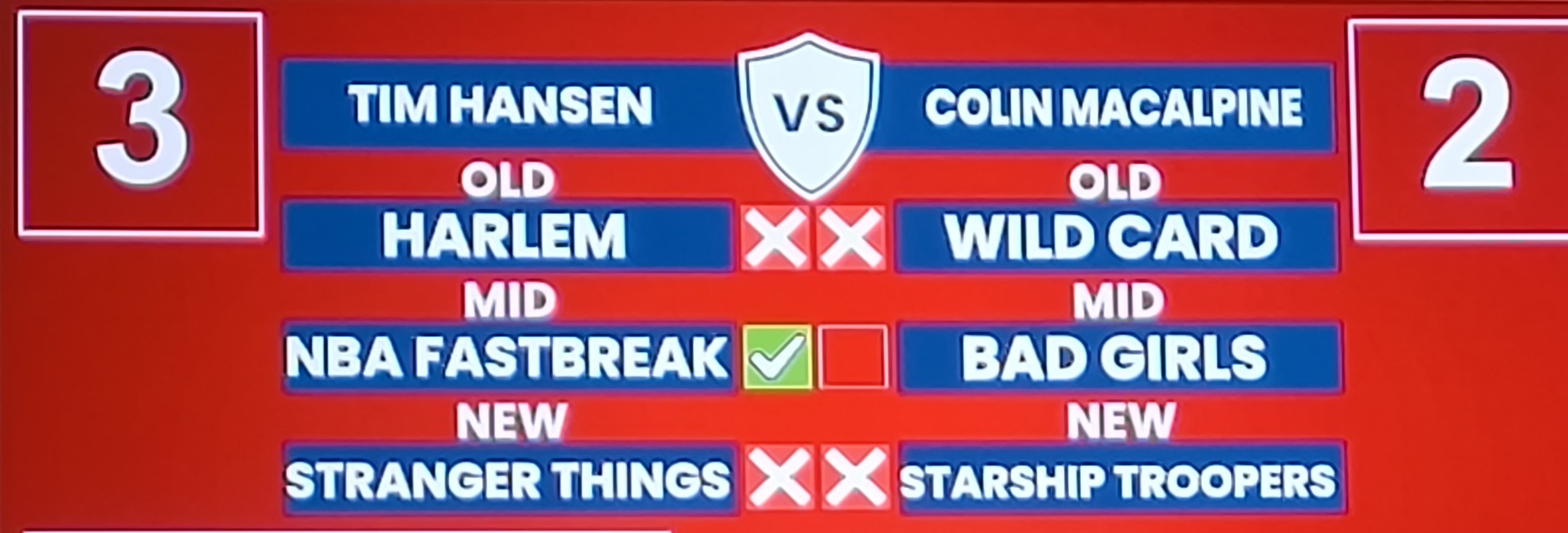
I’ve made this sort of thing before by pulling data from a Google sheet but surely there’s an easier way
I made it. It’s just a Canva image with text boxes and images all functioning through obs with word pad.
1 Like
Gotcha, cheers. The google sheet was great for having the names already in drop down boxes but I’d take losing that functionality to add in the rest of the stuff.
Hey everyone
Our yearly competition is coming up and i want to have a slightly better camera for the player view. Does anyone have a used camcorder or something similar to sell? Needs to be shipped to Sweden.
Also looking for advice on headsets that are good for pinball streaming in a loud environment.
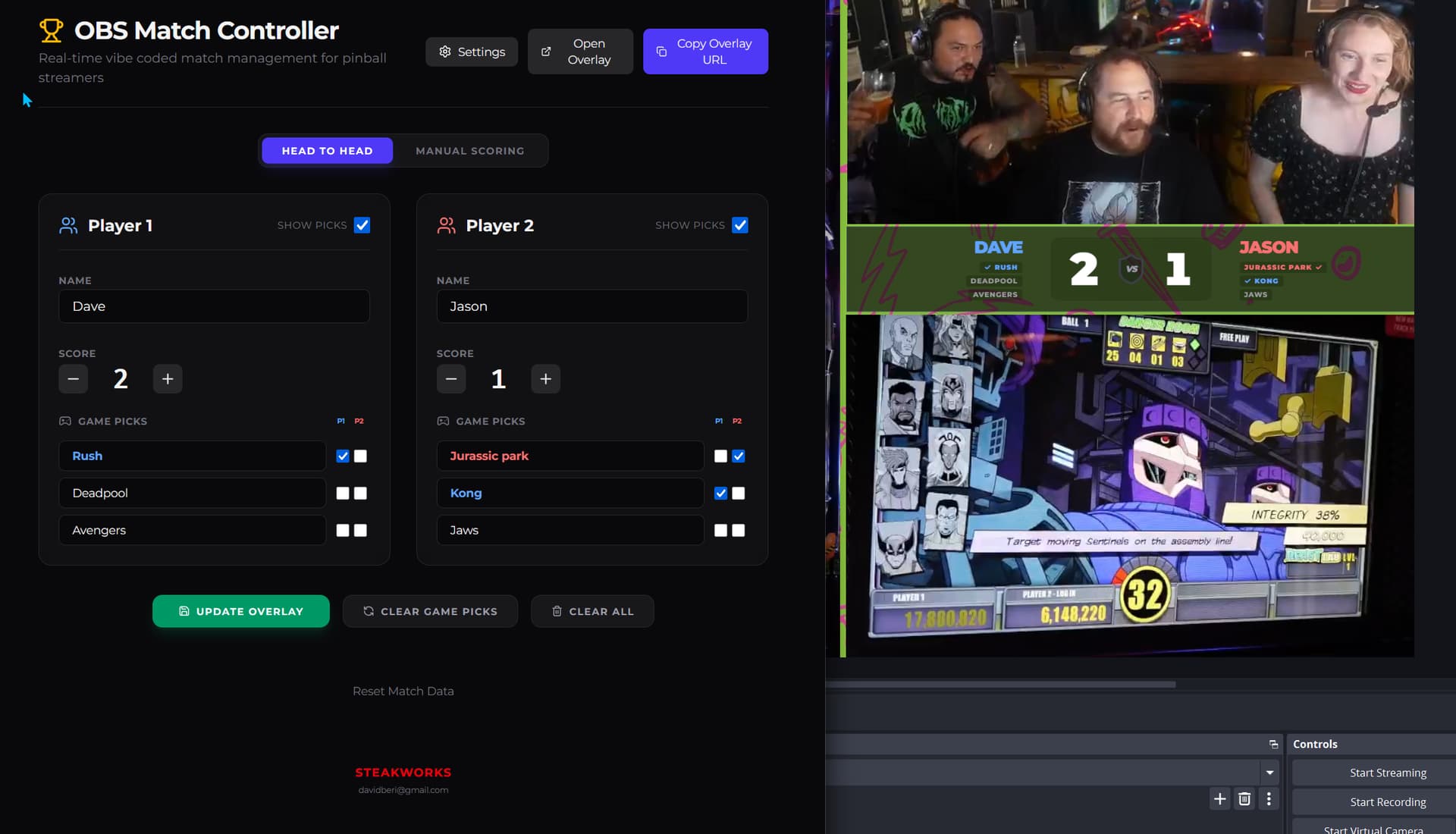
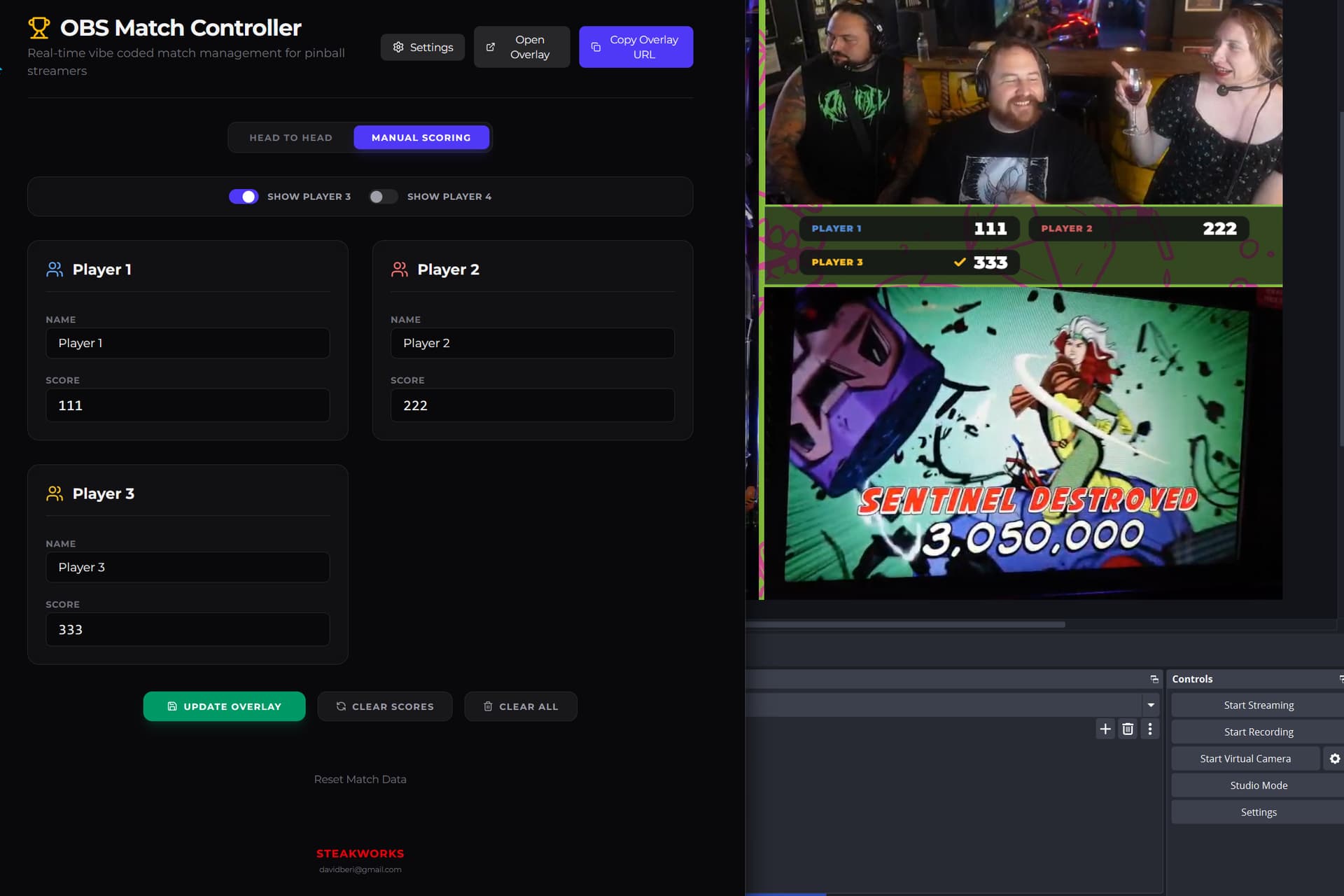
I ended up vibecoding some crap into a working OBS overlay for future streams - it has a head to head tab that shows 3 picks for each player (inc. wins/losses) and a manual scoring tab for one player games. If anyone wants to experiment with it let me know.
1 Like
This is awesome! I have a friend coming over at the end of the month to play. We may stream. I was thinking of doing challenge matches on matchplay with him and this overlay would be perfect! Please do share.
1 Like
Alright, I’ll figure out deploying it in the next few days and will update here
2 Likes
looks awesome! would like to try it as well!
You can find the current overlay at steak.works.
I suggest running the overlay in a browser source that is relatively close to the size you want the window, then adjusting the size in the settings to match. You can save different profiles as well - it all gets saved in browser cookies so next time it should be ready to go when you open it.
Anyway have a bash and I will take any suggestions for additions! I’m not a large fan of AI but this seems to be an acceptable use for it - a small app that fills a niche use case. I don’t do this for profit - purely the love of the hobby. My direct contact is on the site.
1 Like
Thank you! Just tried it, it’s fantastic! I couldn’t get the game picks to show up though. But the updating and the animation is really nice. Simple, easy to use.
1 Like
What do you have today? In many cases you’re looking at bad lighting, not a bad camera. A good low light sensor (large sensor) camera will run up towards 700-1000 USD, and that’s not accounting a wide angle lens or attachment.
Edit: A late GoPro model (12+) is the best budget alternative and you have probably five friends that don’t use theirs. 
The AT BHPS1 seems to be the gold standard. They take way too much space in my kit (I still think I have two pairs laying around).
I use Koss Porta Pro, they’re useless in loud environments (the headphone part mostly, the mics are fine but not as isolating as BHPS1) but I can wear them for 12 hours without issue and takes up as much space as a McDonalds cheeseburger when stowed.
Did you hit update after you toggled the game picks on?
I’m dumb, it would’ve helped if I had click the show picks checkbox! Sorry.
1 Like
Haha all good, I’ve laid it out so it made most sense for me but open to any feedback. Glad you like it.
Another vote for the Audio Technica BPHS1 here